Best Expense Trackers for UK Freelancers (2026): Apps & Methods
 By Matthew Harman — Matthew has been navigating UK personal finance for over 30 years, from first mortgages to ISA strategies, and founded BudgetSense to share what actually works.
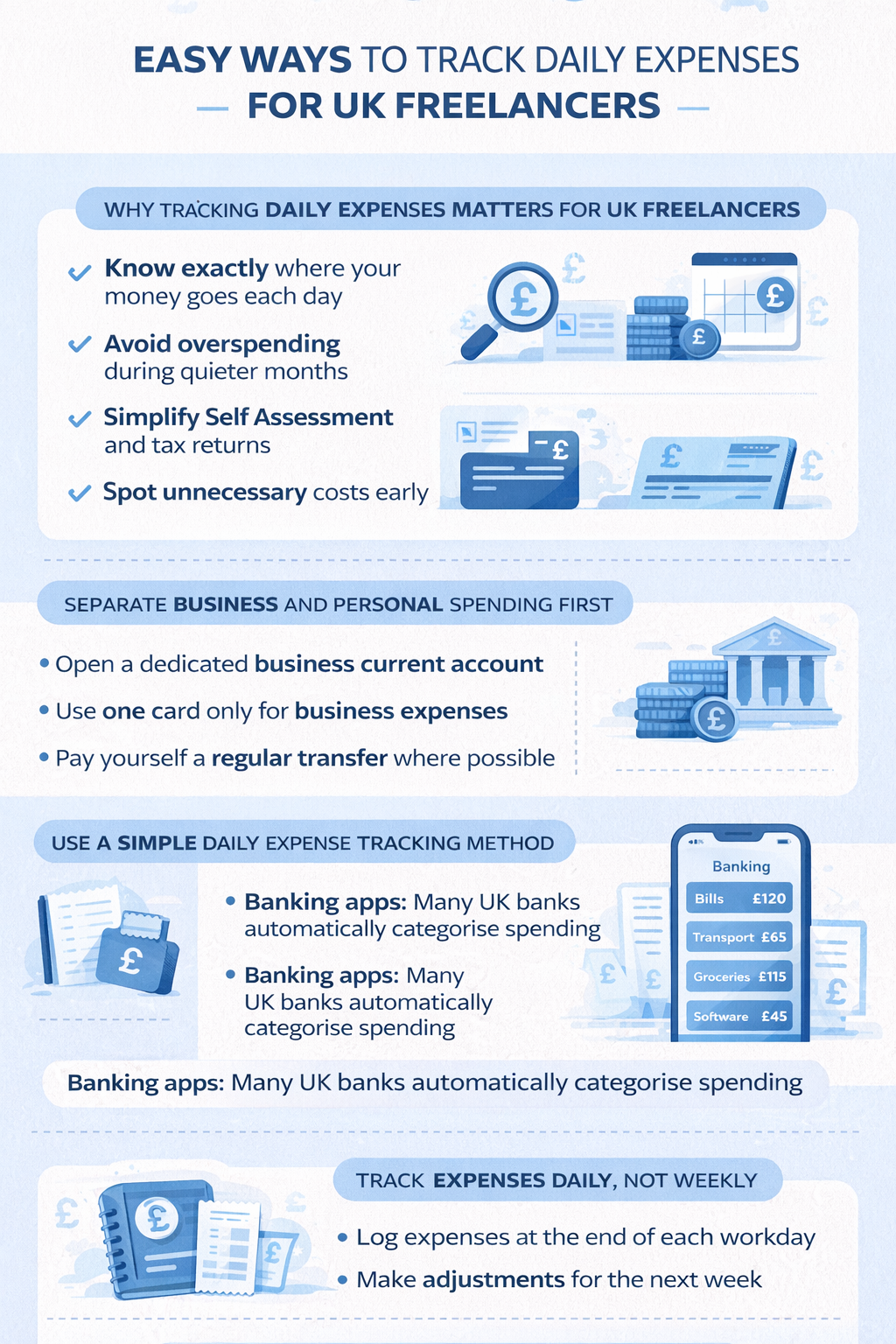
Visual summary of key points from 'Best Expense Trackers for UK Freelancers (2026): Apps & Methods'
Essential UK Budgeting & Personal Finance Guides for 2026
Discover practical tips, tools, and strategies to manage your money, save effectively, and stay on top of your finances.
Check out our key articles: How to Create a Simple Budget, How to Save £500 in 3 Months, Understanding Credit Scores in the UK.
How UK Freelancers Can Track Daily Expenses (2026): Tools, Tips & Tax
Expense tracking as a freelancer is not optional — it directly affects how much tax you pay and how confidently you can manage cash flow when income is irregular. But most freelancers either do it poorly (logging expenses once a year in a panic before Self Assessment) or not at all, leaving money on the table and creating unnecessary stress.
This guide covers the practical system for tracking daily expenses as a UK freelancer, which tools make it easiest, exactly what HMRC allows you to claim, and how to turn a simple daily habit into real financial control.
Why expense tracking matters more for freelancers than employees
Employees have their tax handled automatically via PAYE. As a freelancer registered for Self Assessment, you are responsible for recording your own income and expenses accurately and reporting them to HMRC by 31 January each year.
Good expense records do two things: they reduce your tax bill (by increasing the allowable expenses that offset your income) and they protect you in the event of an HMRC enquiry. HMRC can investigate Self Assessment returns up to four years back for innocent errors and up to 20 years back for deliberate underpayment. Accurate records are your defence.
Beyond tax, consistent expense tracking gives you something employees take for granted: a clear picture of what your work is actually costing you and whether your day rate is genuinely profitable once costs are deducted.
Step 1 — Separate business and personal finances completely
The single most important structural change you can make is opening a dedicated business bank account and using it exclusively for business income and expenses. This is not legally required for sole traders, but it makes everything else dramatically easier.
With a separate account:
- Your expense records are automatically separated from personal spending
- Monthly reviews take minutes rather than hours
- You can export a clean transaction history directly into your accountant or tax software
- You stop missing legitimate business expenses mixed into a personal account
Good free or low-cost UK business bank accounts for freelancers include Starling Business (free), Monzo Business (free tier available), and Tide (free basic account). All offer app-based expense categorisation and CSV export for tax purposes.
Step 2 — Know what HMRC allows you to claim
You can only deduct expenses that are "wholly and exclusively" for business purposes. Personal expenses are not allowable, and mixed-use expenses (like a phone used for both work and personal calls) can only be claimed for the business proportion.
Common allowable expenses for UK freelancers:
| Category | Examples | Notes |
|---|---|---|
| Office costs | Stationery, printer ink, postage, desk equipment | Wholly for business use |
| Home office | Proportion of heating, electricity, broadband | Use HMRC's simplified flat rate (£6/week) or calculate actual proportion |
| Software & subscriptions | Adobe, Slack, project management tools, accounting software | Must be used for work |
| Travel | Train fares, mileage (45p/mile first 10,000 miles), parking, taxis to client meetings | Commuting to a regular workplace is not allowable |
| Professional fees | Accountant fees, professional memberships, trade subscriptions | Fully allowable |
| Insurance | Professional indemnity, public liability, equipment insurance | Fully allowable |
| Marketing | Website hosting, domain names, advertising, business cards | Fully allowable |
| Training & development | Courses, books, conferences related to your work | Must update existing skills, not train for a new profession |
| Phone & internet | Business proportion of mobile and broadband bills | Estimate business use percentage honestly |
| Meals | Food and drink while working away from your normal base overnight | Day-to-day lunches at your desk are not allowable |
When in doubt, log the expense and discuss it with an accountant. The cost of missing legitimate claims is usually higher than the cost of a quick professional query.
Step 3 — Best expense tracking tools for UK freelancers
The best expense tracking system is the one you will actually use consistently. Here are the main options for UK freelancers, with honest assessments of each:
Banking app with automatic categorisation
If you have a dedicated business bank account with Starling, Monzo Business, or Tide, much of the categorisation happens automatically. You review and correct categories periodically rather than logging every transaction manually. Best for freelancers who want minimal admin and are happy to do a monthly reconciliation rather than daily logging.
Dedicated accounting or expense software
FreeAgent (free with some business bank accounts including NatWest and Royal Bank of Scotland), QuickBooks Self-Employed (from around £10/month), and Wave (free) all offer proper income and expense tracking with Self Assessment export. Worth the cost or setup effort if your income is more complex or you have a higher volume of expenses to track.
Spreadsheet
Free, flexible, and sufficient for most sole traders. A simple spreadsheet with columns for date, description, category, amount, and business/personal flag is all you need. The disadvantage is that it requires manual entry and does not integrate with HMRC's Making Tax Digital requirements, which will eventually apply to sole traders.
Notes app or receipt photo
The fastest way to log an expense at the point of purchase. Taking a photo of a receipt immediately prevents it getting lost. Combine this with a weekly transfer of those receipts into your main tracking system. Good as a capture method, not sufficient as a tracking system on its own.
Step 4 — Log daily, review weekly, reconcile monthly
The rhythm that works for most freelancers:
- Daily (2 minutes): Photograph any paper receipts. Note the business purpose of any ambiguous expense while it is fresh in your memory.
- Weekly (10–15 minutes): Review your bank transactions for the week. Categorise anything uncategorised. Check for any missing receipts.
- Monthly (20–30 minutes): Reconcile income received against invoices sent. Total up expenses by category. Check tax pot is adequate (see below).
This structure prevents the end-of-January scramble where you are trying to reconstruct 12 months of expenses from memory and bank statements.
Step 5 — Keep a tax pot alongside your expense tracking
Expense tracking and tax saving are closely linked for freelancers. As you log income, a portion needs to be reserved for your tax bill — HMRC will not remind you to save for it.
A rough rule of thumb for UK sole traders in 2026:
| Annual profit (after expenses) | Approximate tax & NI rate | Suggested tax pot % |
|---|---|---|
| Under £12,570 (Personal Allowance) | 0% | 0% (but save Class 2 NI: £3.45/week) |
| £12,571–£50,270 | 20% income tax + Class 4 NI | 25–30% of gross income |
| £50,271–£125,140 | 40% income tax + Class 4 NI | 40–45% of gross income |
These are estimates — your actual bill depends on allowable expenses, pension contributions, and other reliefs. An accountant can give you a precise figure, but the tax pot ensures you are never caught short when the bill arrives.
Making Tax Digital for sole traders
HMRC's Making Tax Digital (MTD) for Income Tax is being phased in for self-employed people and landlords from April 2026 for those earning over £50,000, and April 2027 for those earning over £30,000. Under MTD, you will need to submit quarterly digital updates to HMRC rather than one annual Self Assessment return.
If your income is above these thresholds, now is the time to move to compliant software (FreeAgent, QuickBooks, Xero) rather than a spreadsheet. The sooner you build the habit, the easier the transition will be.
Frequently asked questions
- Do I need to keep physical receipts as a UK freelancer? HMRC accepts digital copies of receipts — a clear photo on your phone is sufficient. You are required to keep records for at least five years after the 31 January Self Assessment deadline for the relevant tax year.
- Can I claim expenses if I work from home? Yes. You can use HMRC's simplified flat rate of £6 per week (£312/year) without needing to calculate the actual proportion, or you can calculate the actual business proportion of your home costs for a potentially larger claim.
- What happens if I miss claiming an expense? You can amend a Self Assessment return up to 12 months after the original filing deadline. If you realise you have missed significant expenses after that window, speak to an accountant about your options.
- Is FreeAgent really free? FreeAgent is free for sole traders who have a business bank account with NatWest, Royal Bank of Scotland, or Ulster Bank. Otherwise it costs around £19/month. It is one of the most capable tools available for freelancers and worth the cost if you have a complex income picture.
- How do I track mileage as a UK freelancer? HMRC's approved mileage rate is 45p per mile for the first 10,000 business miles per year, then 25p per mile. Use a mileage log app (MileIQ, TripLog) or a simple spreadsheet noting the date, destination, purpose, and miles for each business journey.